Sunday, October 20, 2019

Accidental Changes to a Document / Ms Word

Accidental Changes to a Document
                 What does the Mark as Final option do?  Simple.  It locks a document so that it cannot be edited.  When a document is completely finished,  you can mark it as finalized.  This prevents users from inadvertently making additional changes to it,  and so it gives you some measure of protection against unexpected modifications. Marking a document as final is also helpful if you share a computer.  It will prevent other users from accidentally changing the document You may even want to mark a document as final to prevent from editing it! 

Saturday, October 19, 2019

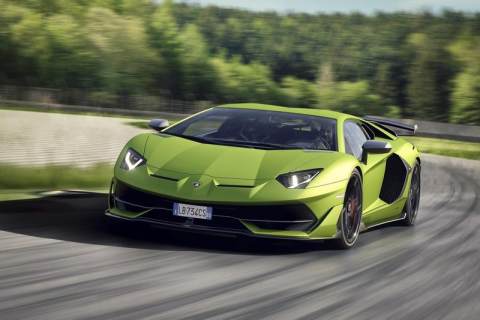
The Extreme Aventador Goes Topless

The Extreme Aventador Goes Topless

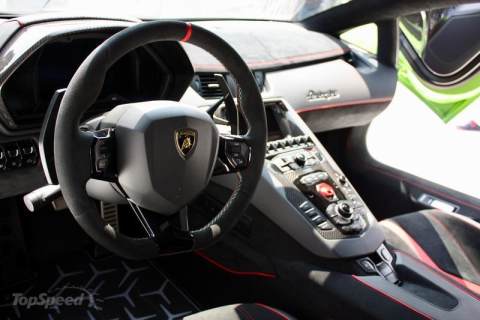
The Lamborghini Aventador SVJ is the most extreme iteration of the company’s range-topping supercar. The SVJ combines the complex aerodynamic systems first introduced on the Huracan Performante with the "Jota" badge, first used on the Miura and then revived for the Diablo. A Roadster version of the SVJ will follow in 2019.
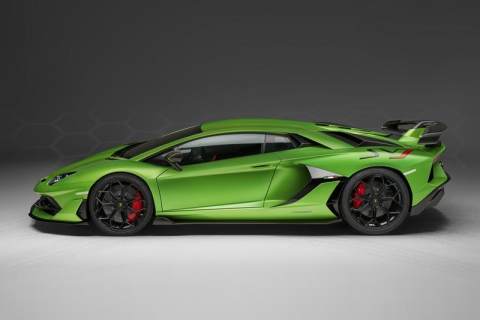
Onto the sides, the SVJ sports a new rocker panel shaped like the letter Y and bigger side vents that channel more air into the engine. A more aggressive side skirt design and lightweight, Y-spoke aluminum wheels round off the profile. Above the waist, it the Roadster should have a slightly different roof section. Due to the removable top, Lambo will make some adjustments to the rear section in order to keep aerodynamics close to those of the coupe. The engine hood will get some changes as well.
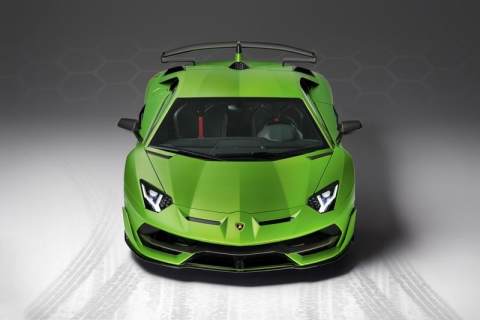
Highlights include a redesigned underbody, which sports vortex generators that work in conjunction with the front and rear diffusers to improve downforce by 30 percent. They also reduce turbulence thanks to the airfoil and side winglets. The system also actively varies aero load by opening and closing flaps in the front splitter and the engine hood.
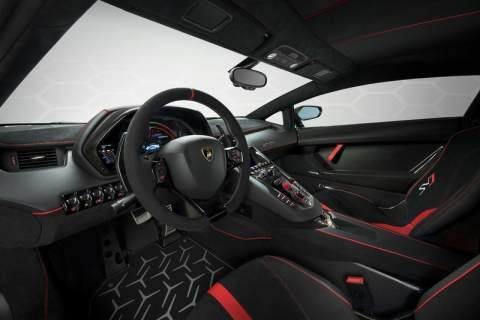
The interior of the Roadster will be identical to the SVJ coupe, which in turn is very similar to the Aventador S. The dashboard and the seats are wrapped in high-quality leather and Alcantara, while the instrument cluster features a carbon-fiber hood. The lightweight material was used on the door panels as well, which also include pull loops instead of door handles in order to save weight. The contrasting stitching, pipping, and inserts are joined by "SVJ" logos on the seats.
Tech-wise, the SVJ doesn’t come with navigation and infotainment as standard, but they’re available as no-cost options. The package includes Apple CarPlay, voice-activated features, and the latest entertainment apps.
The copyright belongs to topspeed.

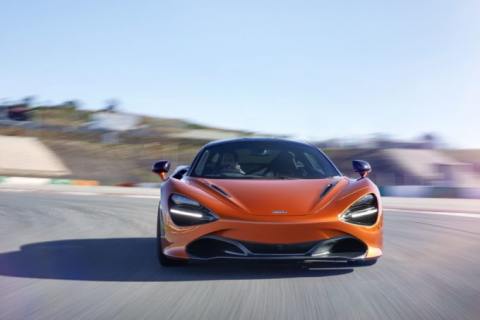
Why You Should Buy A McLaren 720S

Why You Should Buy A McLaren 720S

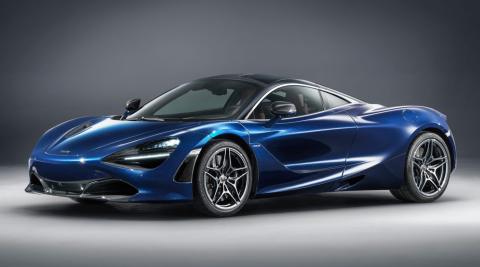
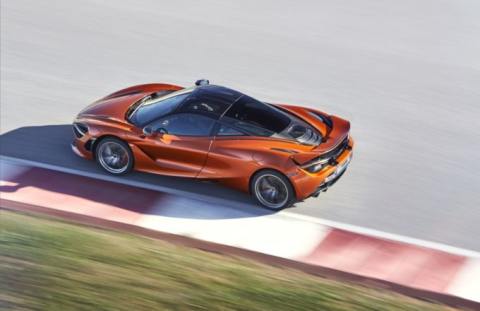
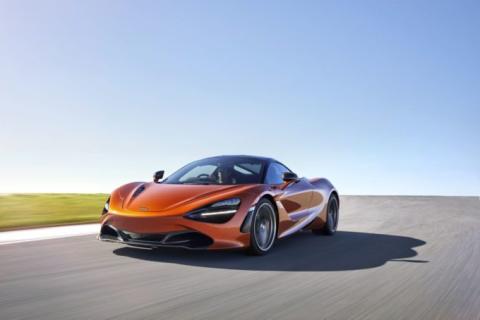
The 720S starts with a solid foundation that is lighter and stronger than any predecessor. The added strength allows the ingenious electro-hydraulic suspension to be relaxed. This means the 720S offers a plush ride, even over broken pavement. I have had the opportunity to get behind the wheel twice this year, thanks to our friends at McLaren Philadelphia.
No detail was overlooked. McLaren includes a battery charger because they know you probably won’t daily drive it. So if the charge port in the trunk is left open, the car will not go into gear. They don’t want you to run over the cord. If you want to refuel with the engine running you are out of luck. The filler cap is programmed to remain locked to prevent engine fires at the gas pump.
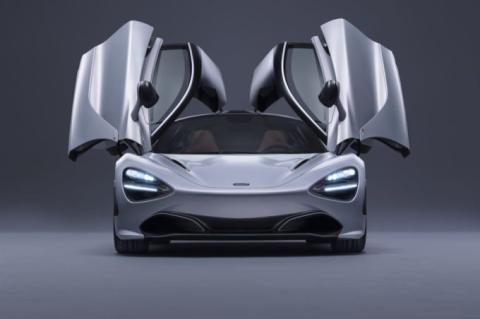
Claustrophobia is a major cause of anxiety, so McLaren chose to focus on interior aesthetics as another way to set the 720S apart. A big rear window and thin roof pillars make it feel much more spacious than anything at this power level. Daylight comes in from glass roof panels that are integrated with the graceful dihedral doors. Behind the seats is a decent size package tray, lined with hand-sewn leather. Under the leather is some serious heat and sound insulation.
The engine replaces the 3.8-liter found in all previous models (except the McLaren F1). Some major changes inside seem to include a new firing order and larger turbos. Starting from a clean sheet allowed them to make incredible power. The factory says horsepower is rated at 710 with 568 lb-ft of torque. We’re not calling them out on these figures, but they seem quite underrated given the car’s performance.
You will be at 124 mph in 7.8 seconds, and some owners have reported consistent 9’s in the quarter mile. Lastly, a few cars have been strapped to a chassis dyno, yielding figures closer to 800 horsepower. If you need proof, look at how it fares against boosted Lamborghinis!
The copyright belongs to dupontregistry.

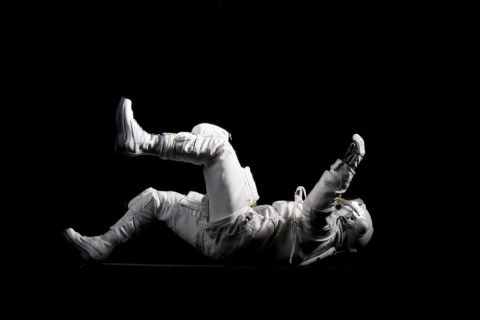
Some Insane Things Astronauts Have to Do

Some Insane Things Astronauts Have to Do

Sleep Through Several Sunrises Every Night.On Earth, we are naturally accustomed to a 24-hour day: sleep when the sun sets and wake when it rises. But in space, the sun can rise and set up to 16 times a day, requiring astronauts to “train their minds and bodies to maintain a 24-hour circadian rhythm,” as Hanneke Weltering writes for Space. This requires astronauts to set designated sleep and wake times, lighting instructions, and more, all in the name of sane and sound sleep.
See Flashing Lights—Even With Their Eyes Closed.Dating back to the fabled launches of 1969, astronauts have reported seeing strange flashing lights, even when their eyes were shut. Some call it “fairy lights,” others call it “fireworks in your eyeballs,” but they’re believed to be cosmic rays that can pass through the eyelids of astronauts. It may look neat, but it probably doesn’t help space rangers sleep any better.
Dodge Sweat Balls. Since they have to work out more than usual (usually around two hours a day), astronauts also tend to sweat quite a bit in space, which, due to gravity, can produce floating balls of sweat that they have to tackle with a towel. Rather than rolling down their face, beads of sweat just cling to astronauts in salty blobs unless they do something about it. And to see if you’re cognitively capable of being an astronaut.
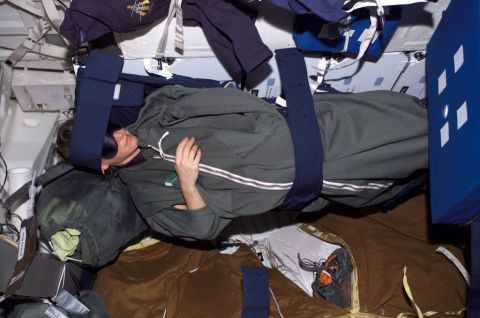
Tie Themselves Down to Sleep.Without gravity, astronauts could sleep on the ceiling if they like. But due to safety concerns—and to avoid disorientation or phantom phantom limb (yes, you can have fake feelings of amputation)—astronauts generally prefer to tether themselves to a wall inside a sleeping bag.
Stop Crying. Whether they’re feeling emotional or just have a bit of dust in their eyes (though where’d the dust come from in space?), astronauts will find that tears don’t roll down their cheeks but instead just stay right there in their eyes. Apparently, it stings. A lot.
The copyright belongs to bestlifeonline.

Sexiest Sports Cars Of All Time

Sexiest Sports Cars Of All Time

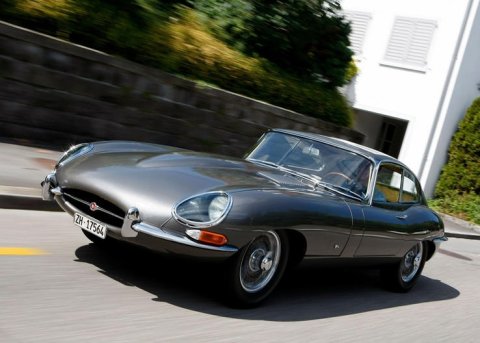
1961-75 JAGUAR E-TYPE
When Enzo Ferrari calls a car that’s not his the most beautiful that’s ever been made, then you know it deserves to be on this list. Yes, a lot of people are quick to say that the E-type looks like a penis. To a degree, they have a point. This particular car has a very long curved nose which gives the vehicle a rather phallic shape.
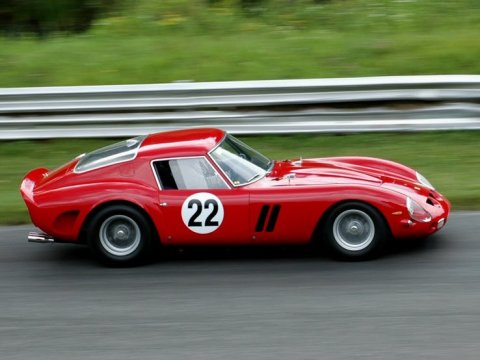
1962-64 FERRARI 250 GTO
The Ferrari 250 GTO is one of the most sought after cars in the world. Whenever one has come up for sale at auction they bring in tens of millions of dollars. Why? It could be that this particular Ferrari is considered the definitive car of the brand. It could also be that the 250 GTO has a strong racing heritage.
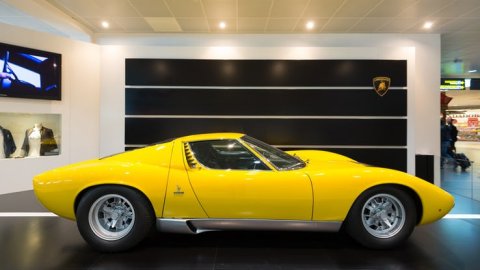
1966-72 LAMBORGHINI MIURA
Yes, there was a time when Lamborghini didn’t design their cars to look like futuristic shuttle craft. Nonetheless, when the Miura debuted it caused a revolution in car design and set the company on the path to creating a line of high-performance sports cars which continues to this day. The Miura broke with tradition by having a mid-mounted engine.
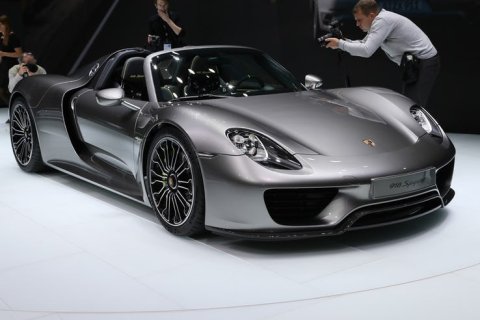
2013-2015 PORSCHE 918
Our second hybrid on this list, the Porsche 918 shows that being a green performance machine can be sexy. Ok, so sporting a 4.6L V8 isn’t really that environmentally friendly but with the addition of two electric motors this car puts out a whopping 887hp. It also holds the lap record for the Nurburgring at 6 minutes and 57 seconds – now that’s sexy.
The copyright belongs to https://www.therichest.com/luxury/auto/the-20-sexiest-sports-cars-of-all-time/

Bugatti Models

Bugatti Models

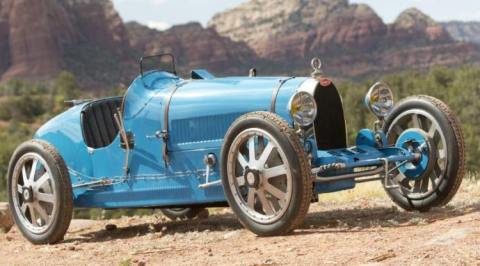
Bugatti Type 35
In Bugatti’s racing models, the Type 35 surpassed all others. It was built between 1924 and 1930 with only 96 ever leaving the factory. It was their most successful racecar and won over 1,000 races, including the Grand Prix Championship in 1926. Its look was unique with an arch-shaped radiator and was the first to use an engine that was the evolution of the three-valve 2.0 L, overhead cam straight-eight engine.
Bugatti Type 50
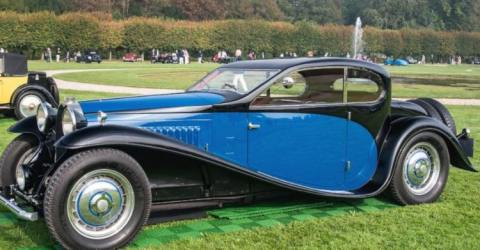
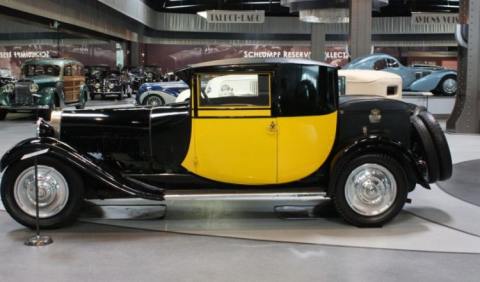
Built from 1931-1933, only 55 Type 50 models were manufactured from 1930-1934. It was built for the purpose daily road driving with a choice of two wheelbases along with several beautiful body styles. It was built using a scaled-down Type 46 Royale chassis and sported a gearbox that is in the unit along with the rear axle. There was a new and large twincam and a powerful, first-ever used in a Bugatti model, a DOHC engine that had the potential of producing 225 hp.
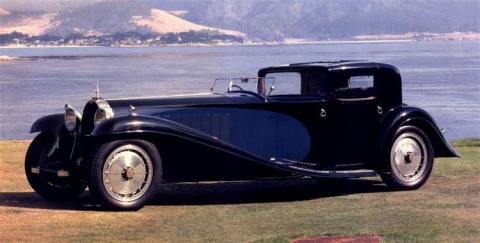
The Bugatti Royale
The Royale, also known as Type 41, was in production during 1927-1933. It’s a large, luxury car that was built with the plans of building 25 and selling them to Royalty. However, Royalty weren’t even buying expensive luxuries during the depression, which lead to only building 6 of these models and selling just 3. It was a huge car, one that was meant to be seen in, and being so large, this meant the engine was huge, too. It displaced of 12-liters and weighed 750 lbs.
Bugatti Type 44
There were more Type 44 models built by Bugatti than any of their other models. It was the company’s first tour car ever made. The Type 44 was designed using two-cast-iron four-cylinder blocks and a single overhead camshaft which was responsible for supplying all of its power by way of a four-speed manual gearbox and on to the rear wheels for speed and precision, reaching a top speed of 85 mph.
The copyright belongs to https://moneyinc.com/top-10-bugatti-models-time/

Start Menu / Ms Word


Start Menu:
1)Click on the start button, point to all programs then click on Microsoft office and click on Microsoft office word 2010 again.
   The first screen that you will see a new blank page document. You may notices that the look of the program window has changed radically from previous versions.
2)When you first start word, this environment consists of the following elements:
3) When you click the file tab, commands related to managing word and word documents are gathered together on these menu,
         The title bar displays the name of the active document. At the right end of the title bar are the three familiar buttons - Minimize ,restore and chose buttons.
The word 2010 windows has many features to aid you in creating and waiting documents. Following are the descriptions.
4) file tab: Opens the office menu, from which you can open, save, print, and start new presentations.
5)Quick access toolbar: A small toolbar next to the file tab contains shortcuts for some of the most common commands.
6)title bar: Identifies the word program running and the name of the active presentation.
7)Minimize button :shrinks the application window to a bar on the task bar; you click it's button on the Taskbar to reopen it.
8)Minimize/restore button:If the window is maximized (full screen), click will changes it to windowed (not full screen)  and vice versa.
9)Close (quit) button: close the application-;
10)Ribbon:Function as a combination of menu bar and toolbar, offering tabbed"pages" of buttons, lists,  and commands.
11)View buttons: Allow you to see the active word window/page in different views.
12)Status bar; Reports information about the presentation and provides shortcuts for changing the view and the zoom.

File tab:
How to gate print out 
               Before you print, make sure your computer preinstall with the printer, the driver is install properly and ensure that the printer is connected to the computer and it's working fine. You can use the print preview feature to view your document on the screen you print it.  Print preview displayes the page(s)of your document exactly as the will appear when printed. The following will show you how to preview and those setting involved to print your documents:

Preview :

  • Open the document that you wish to point, 
  • Click the File Tab, point at the Print arrow;  Your document is displayed in Print Preview view. 
Change the document margins 
  • From the Print Preview tab, Click on the File Tab and select the print option. Under setting click the Page Setup link, click Margins lcon to display a meeting drop-down menu options.  Select the option that is most suitable for your document. 
Preview the document from page to page 
  • From the Print tab,  in the Preview group,  click Previous Page or Next Page to move forward or backward one page Arvada time. 
  • From the Print tap,  in the Preview group, click the Save icon otherwise Press Esc Button. 
Set and print a document 
  • Click the File Tab, and click Print. 
  • From the point dialog box displayed,  if more than one printer is available to you,  select the printer you want to use from the Name : drop-down list
  • Select an optical in the Page Range section:

  • All - Prints all the pages in your document. 
  • Correct Page - prints the currently selected page or the page in which the insertion point (cursor) is active. 
  • Selection - prints only the content you have selected (highlighter).
  • Pages - prints the range of pages you select.  For example,  ente5 1-4,5,9 will print page 1 to 4, page 5 and page 9.
  • Select an option from the Print what: drop-down list:
  • Document- prints the document. 
  • Document properties - prints the information about file name,  the date the document was created,  and when it was last saved. 
  • Document showing markup - prints the document with any revision marks present. 
  • List of markup - prints a list of the edits,  insertions,  and other markups or changes made to a document, 
  • Styles - prints style information, 
  • Building block entries - prints a list of building block entries. 
  • Key assignments - prints a lost of shortcut keys defined by the user and available in Word. 
  • Select an option from the Print:drop - down list:
  • All pages in range - prints all pages,  either all the pages in the document or in the range you specify. 
  • Old pages - prints all the add-numbered pages in the document or in the range you specify. 
  • Even pages - prints all the even - numbered pages in the document or in the range you specify. 
  • Enter the number of copies you want to print the document in the Number of copies : box. 
  • Click the Pages per sheet down arrow,  and select a number if you want to print more than one page. On a sheet of paper. 
  • Click the Scale to paper size down arrow ,and select a paper size to which your document needs to be scaled.  For example,  you might select A4 if you are printing documents on A4-sized paper. 
  • When you have selected all the options you want and are ready to print your document,  click OK button.


Download Song

 Download Song Shreya Ghoshal song